Complete Your GCash Payment
Please note that GCash charges a ₱25 transaction fee for this payment.
Unfortunately, this fee is set by GCash and is not collected by us.
If you're okay with the ₱25 transaction fee, let's continue with your payment. 😊
STEP 1:
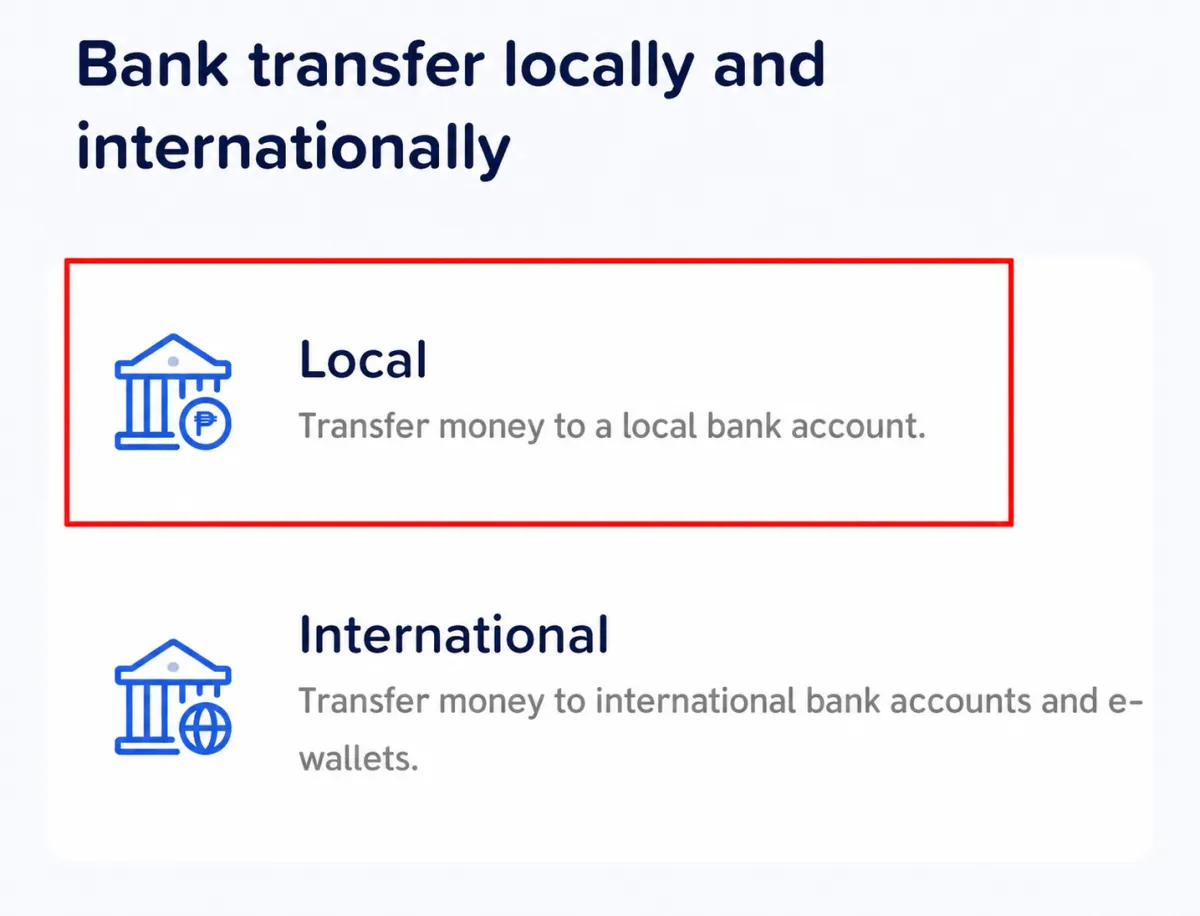
Select "LOCAL" Bank Transfer
Choose LOCAL to transfer money to a local bank account within the Philippines.
STEP 2
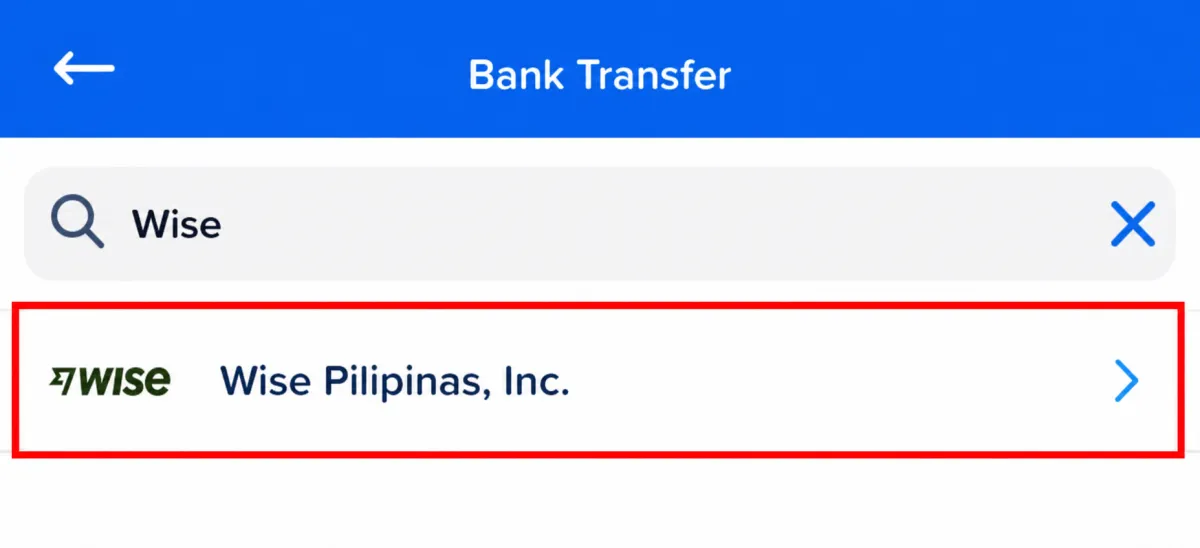
Search for "Wise Pilipinas, Inc."
Type Wise in the search bar and select Wise Pilipinas, Inc. from the list.
STEP 3
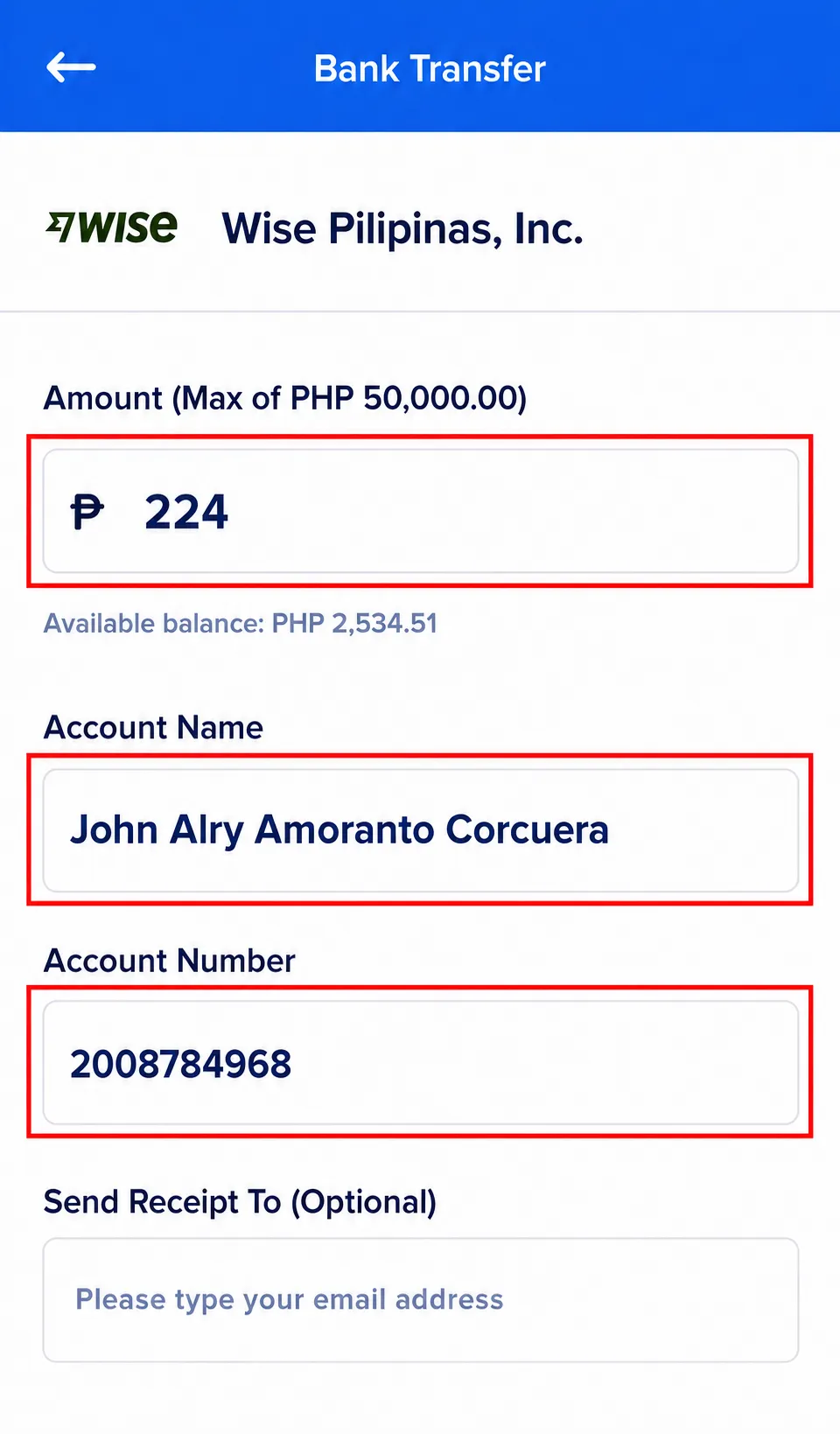
Enter the Payment Details
STEP 4
Complete Your Payment
Send your payment and take a clear screenshot of your successful GCash transaction. You'll need it as proof of payment.